A till that never stops
Sales are saved on the shop computer first and upload in order when the connection returns. Staff sign in with their PIN offline. Receipts that did not print are tried again.


Point of sale for Sri Lankan shops
The till, the stock book, the credit book, the reports and the owner's phone, in English, සිංහල and தமிழ். It keeps selling when the internet or the power goes.
Sales are saved on the shop computer first and upload in order when the connection returns. Staff sign in with their PIN offline. Receipts that did not print are tried again.
Poya days on every chart and refused at the till for closed items. LankaQR with the amount filled in. VAT, SSCL, EPF and ETF worked out. WhatsApp first.
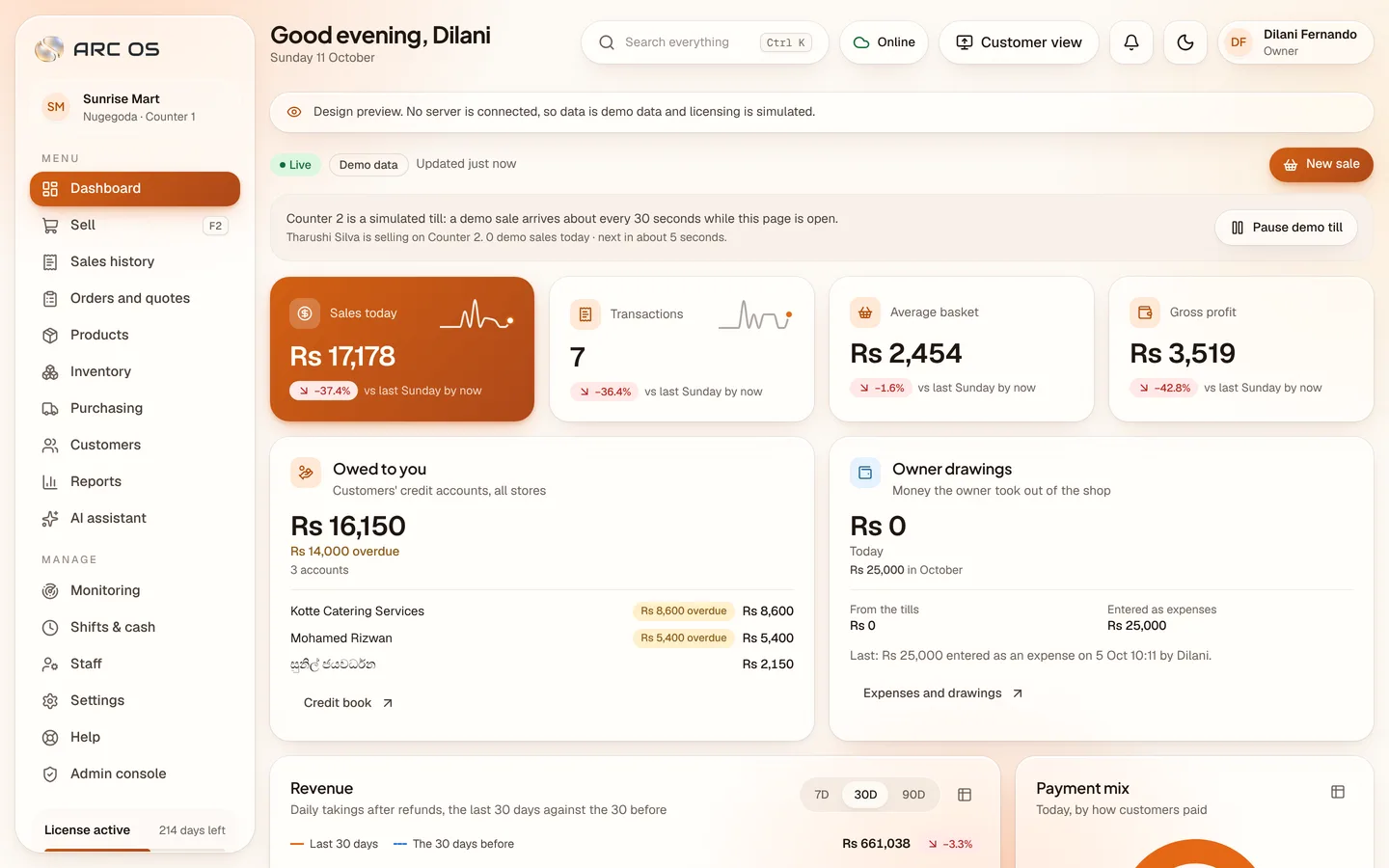
Today's takings, the tills and staff on shift, live. Alerts about voids, discounts and cash. Lock a till or sign someone out from wherever you are.
What is in the box
Scroll on. Real screens from the app, each one showing the part it talks about.
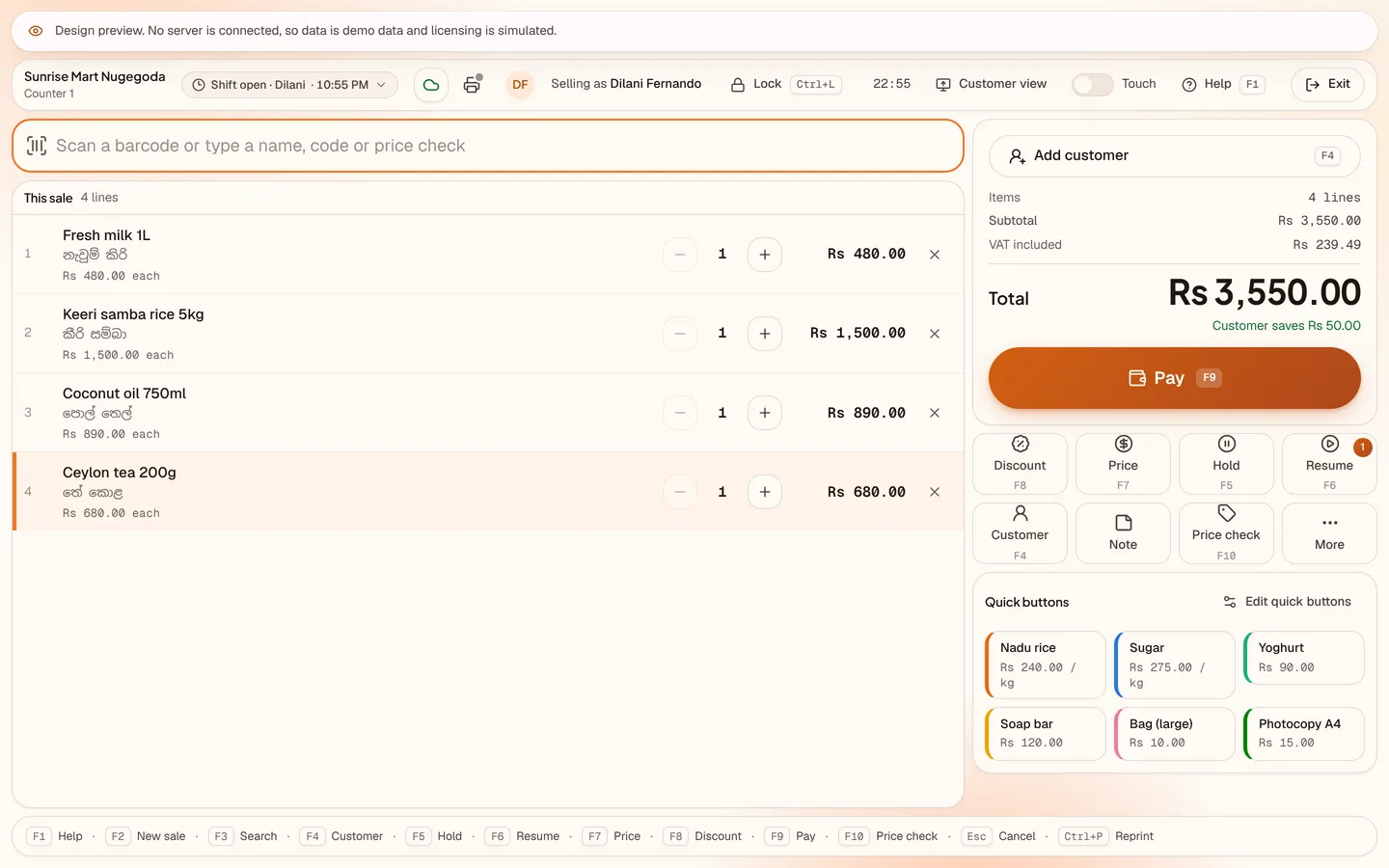
Selling
Built for the counter: the scanner, the keyboard and a big Pay button. Every action has an F-key, and there is a touch mode for tablets.
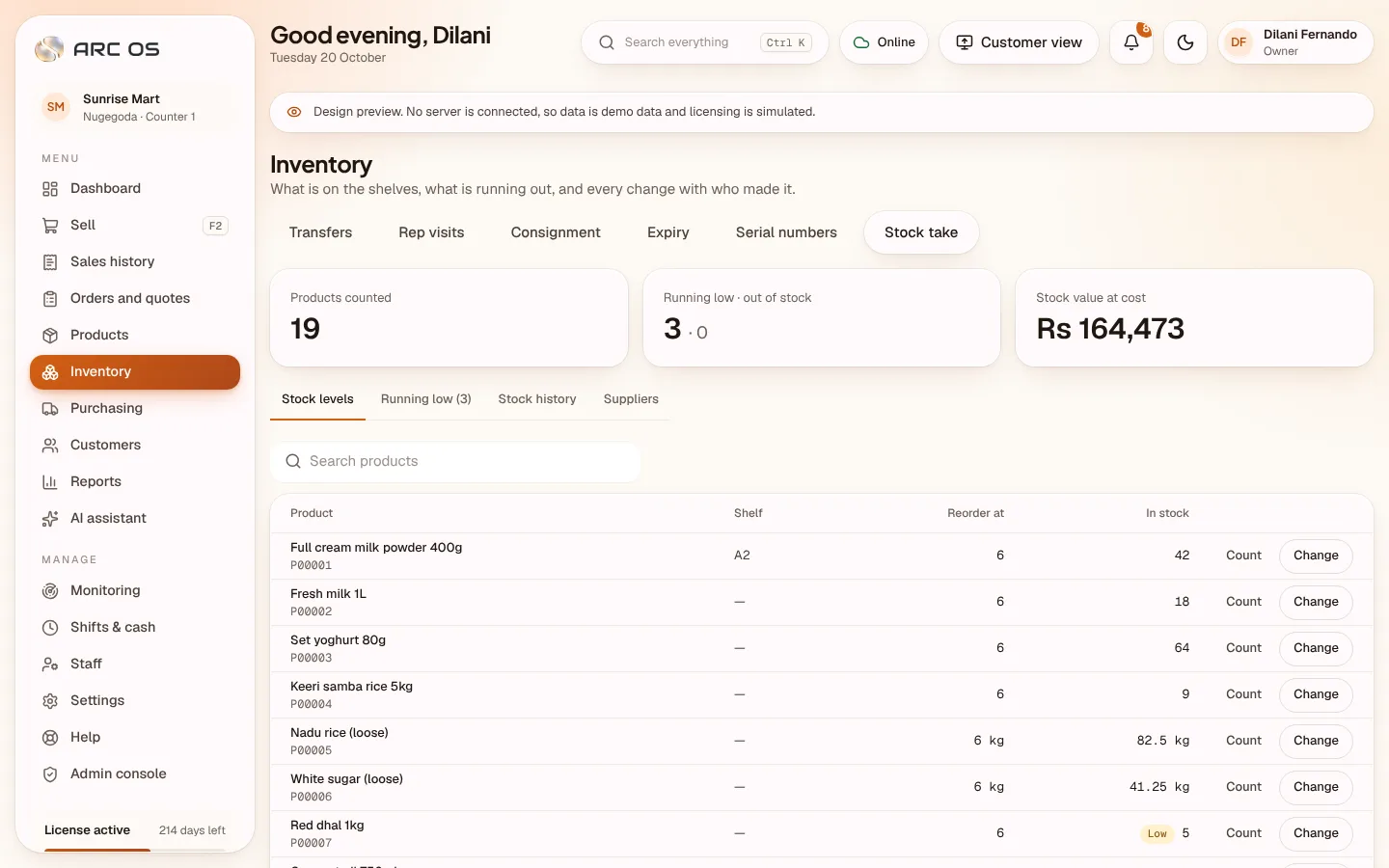
Stock and suppliers
Stock per branch with every movement recorded, deliveries with free issues, supplier bills, batches and expiry dates, and a forecast of what runs out when.
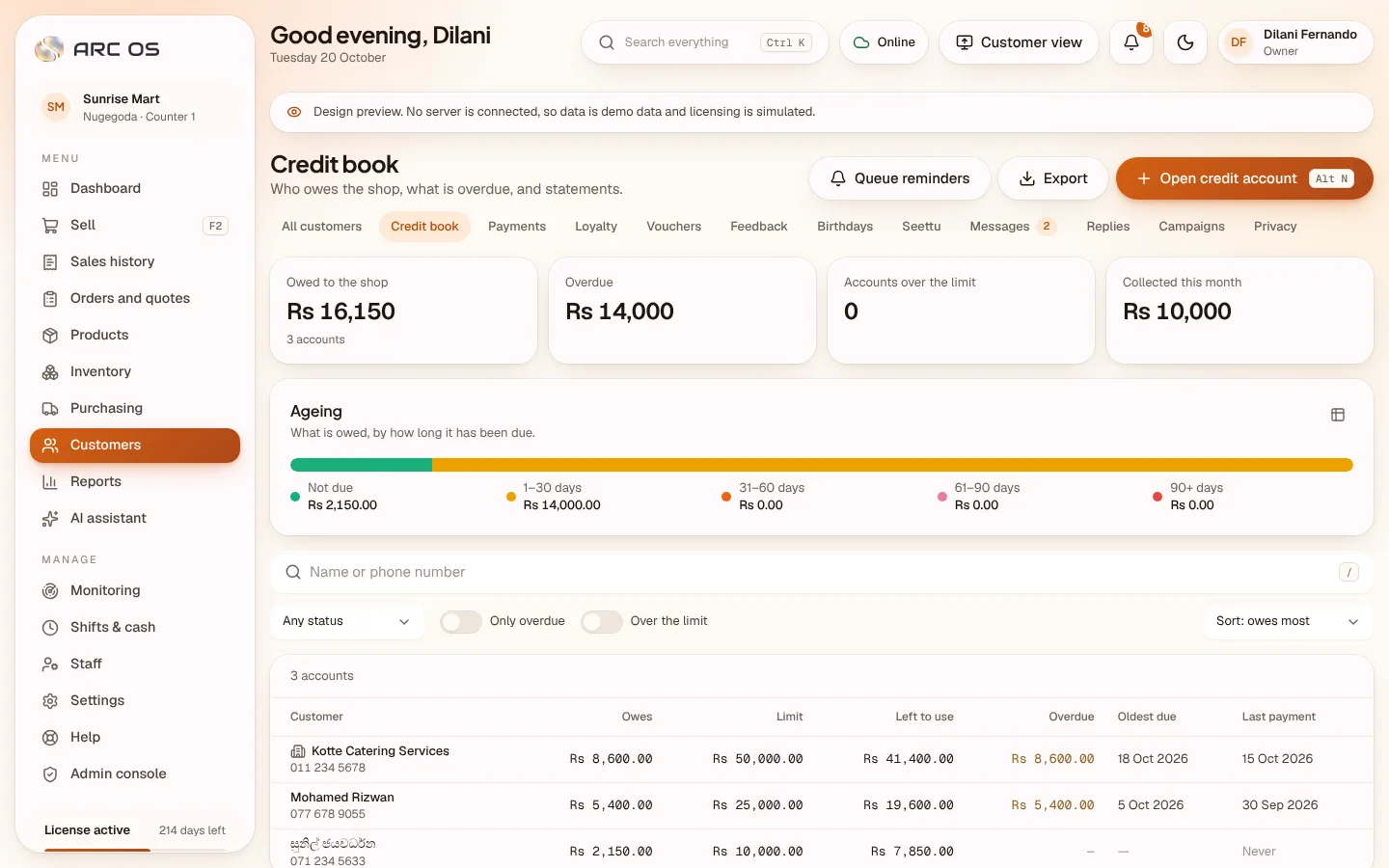
Credit book
Credit accounts with limits, statements and ageing, payments at the till with a printed slip, and reminders on WhatsApp to customers who agreed.
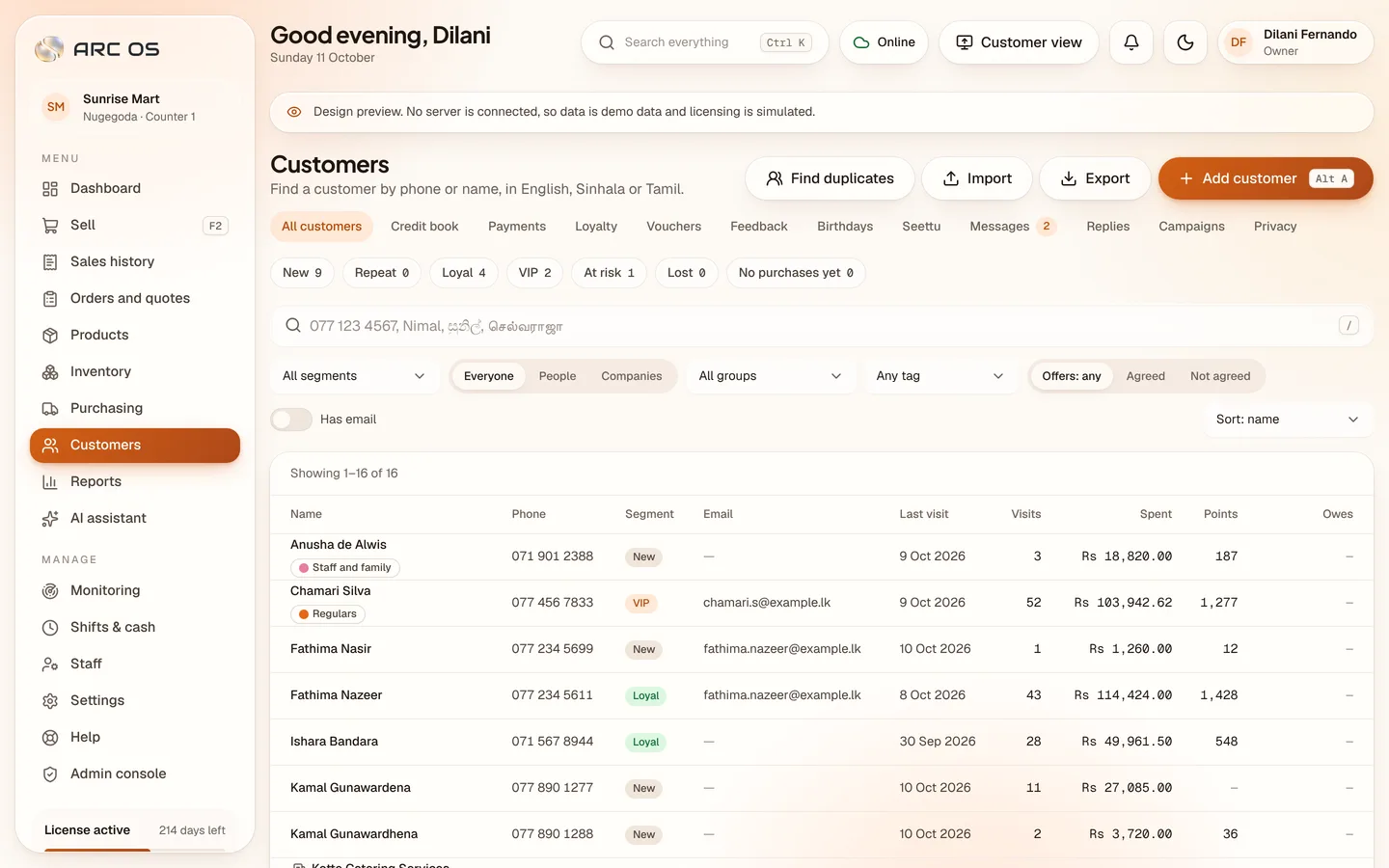
Customers
Each customer shows visits, spend, points and what they owe. Segments such as New, Loyal, VIP and At risk are worked out automatically every night.
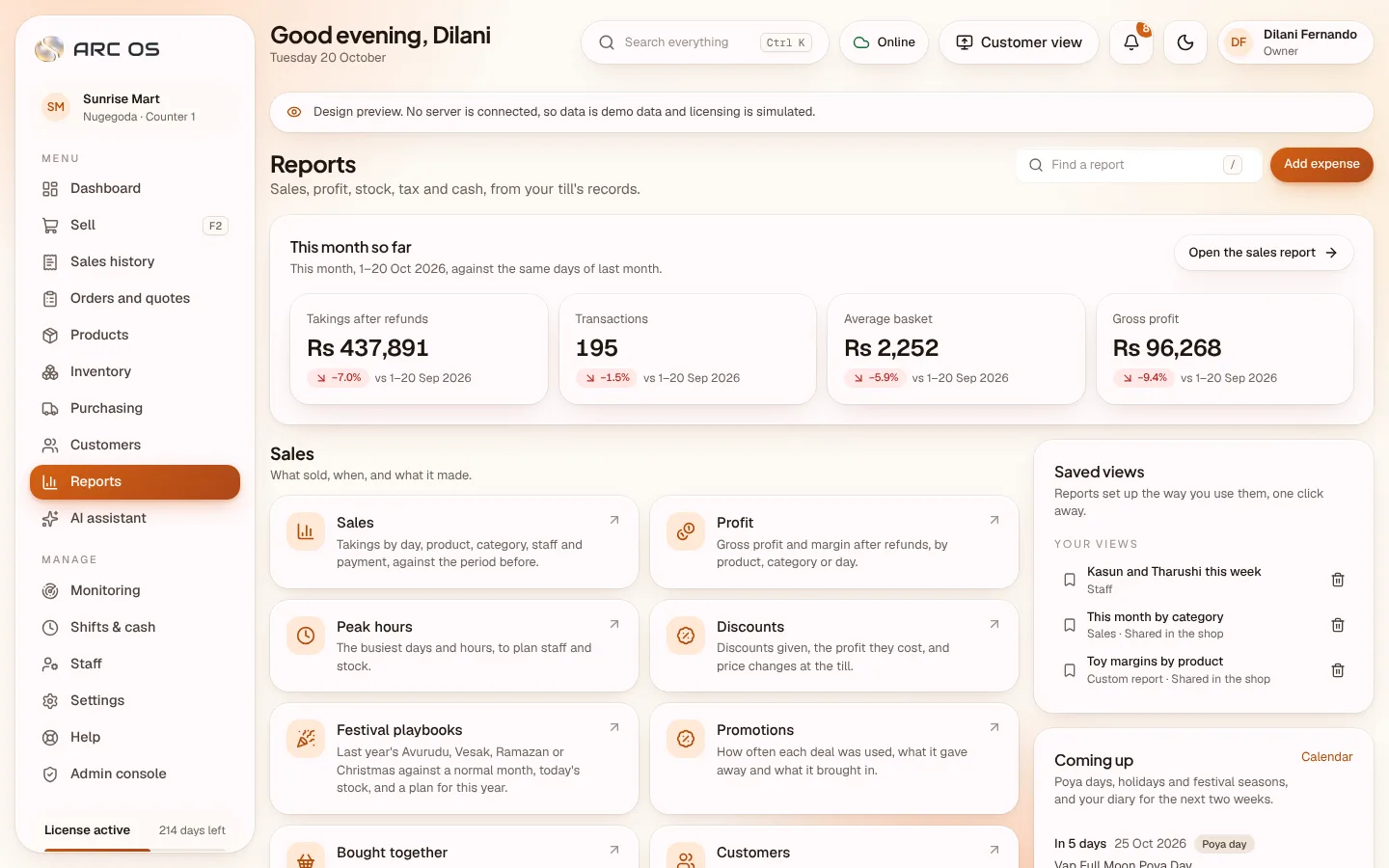
Reports
Thirty reports by the business day your shop keeps, compared with the period before, with Poya days, holidays and your own diary notes on every chart.
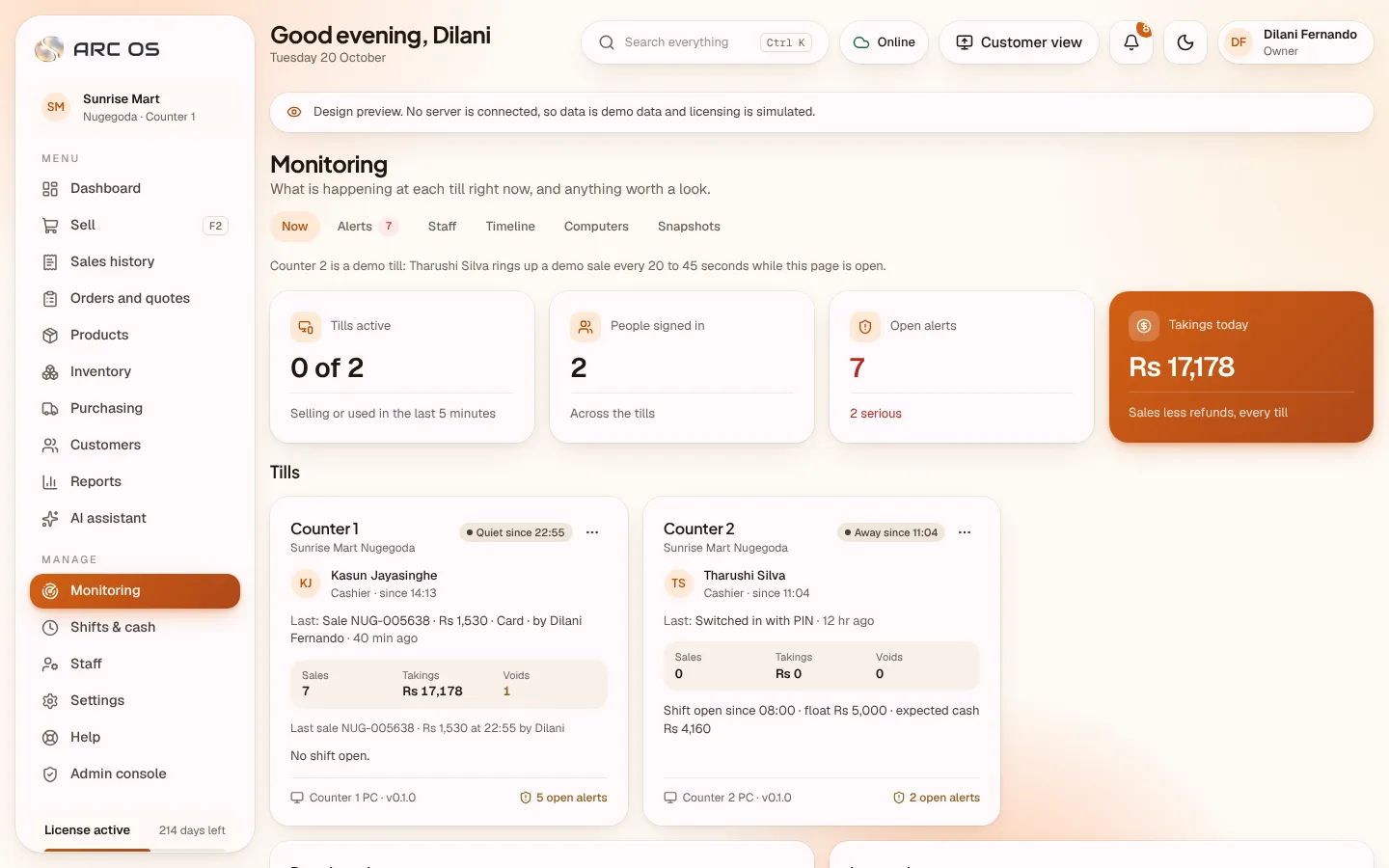
Monitoring
Who is on which till and in what state, alerts about voids, discounts and cash that a manager reviews and signs off, and a timeline of the day.
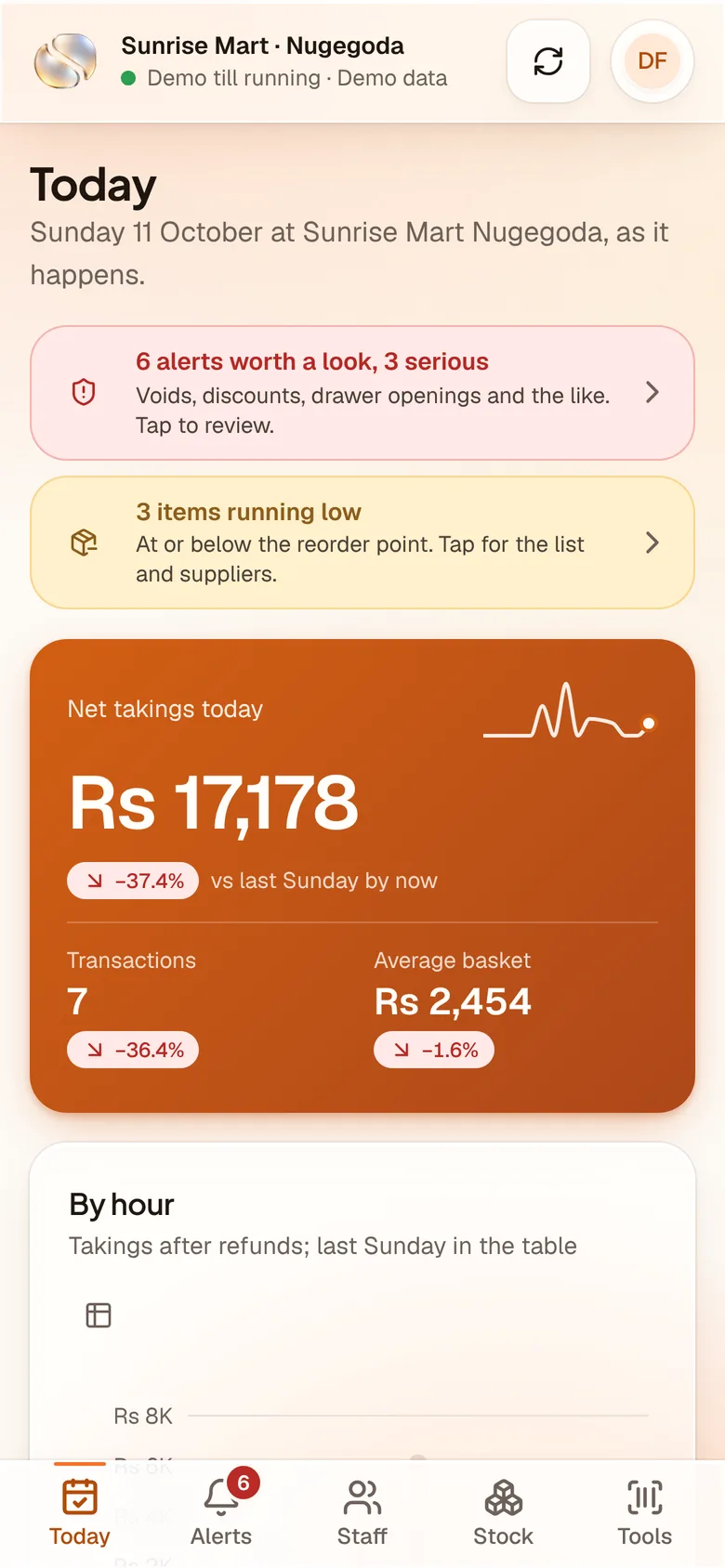
Owner's phone
Today's takings, the tills, staff on shift and items running low, live on any phone, with alerts as notifications and a few tools for the floor.
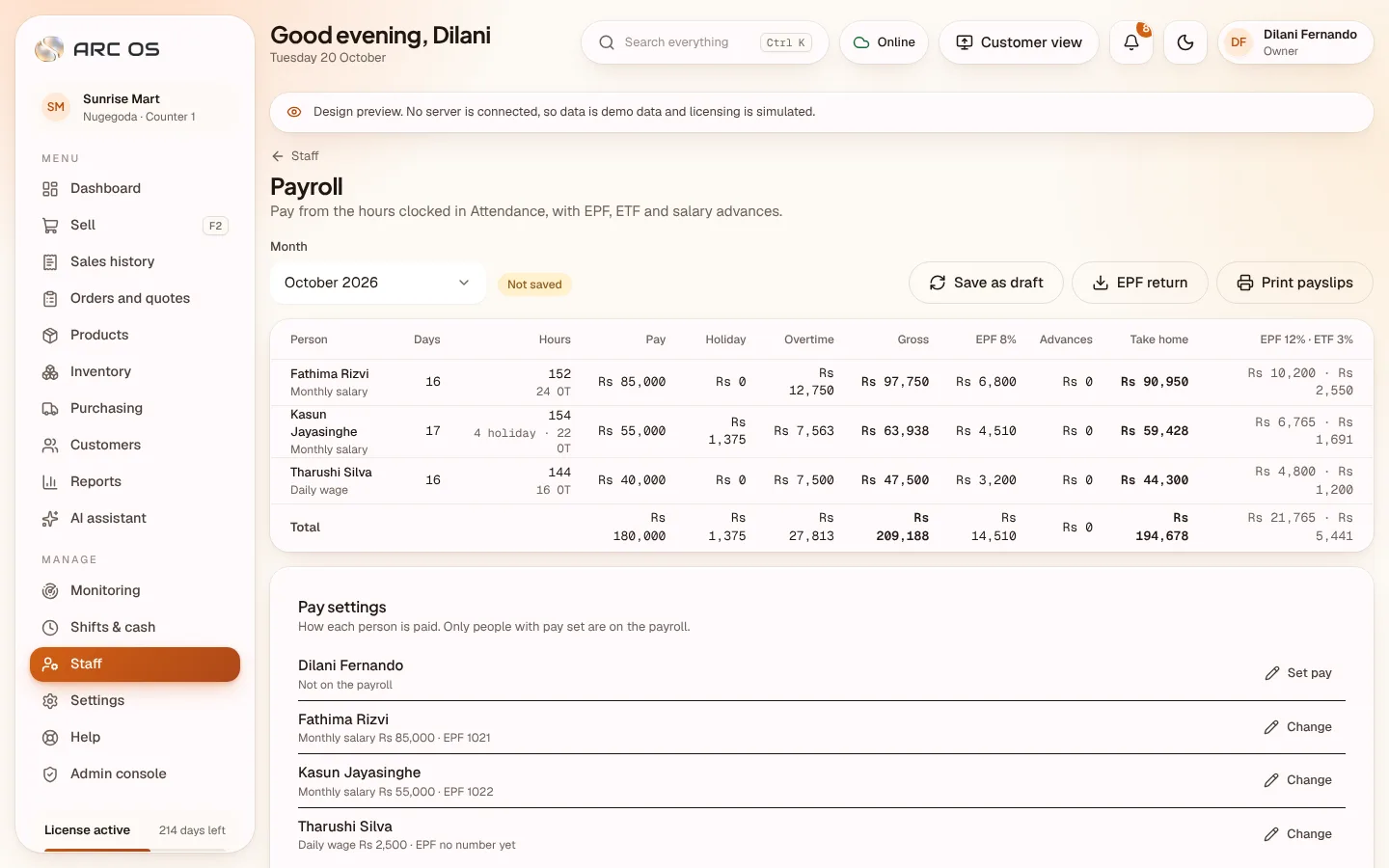
Staff and payroll
Five roles with their own permissions, PIN sign-in at the till, clocking in by PIN, and monthly pay with EPF and ETF worked out.
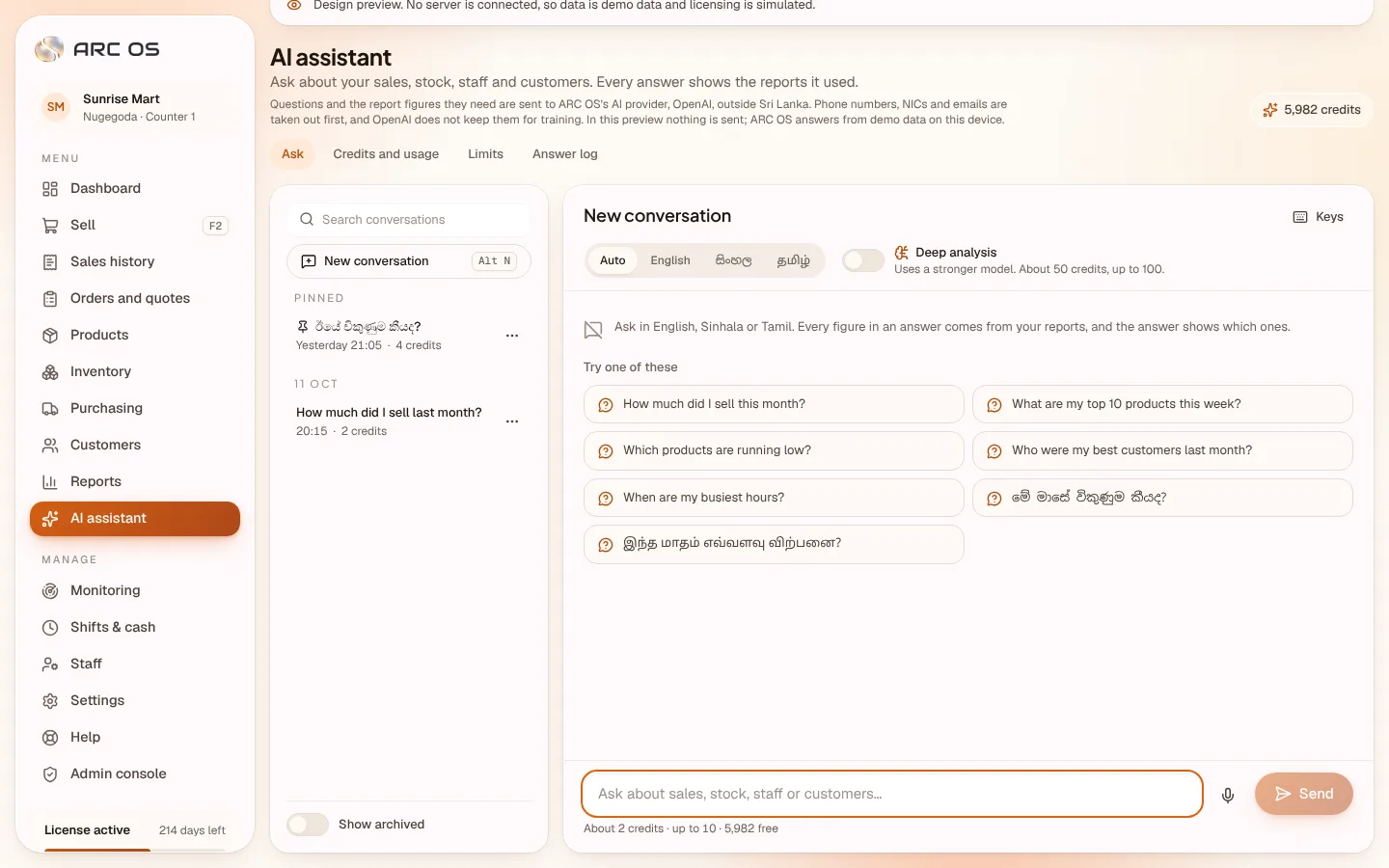
AI assistant
Questions in English, Sinhala or Tamil answered from your own reports, with the figures they used. Prepaid credits, with a cap on every answer.
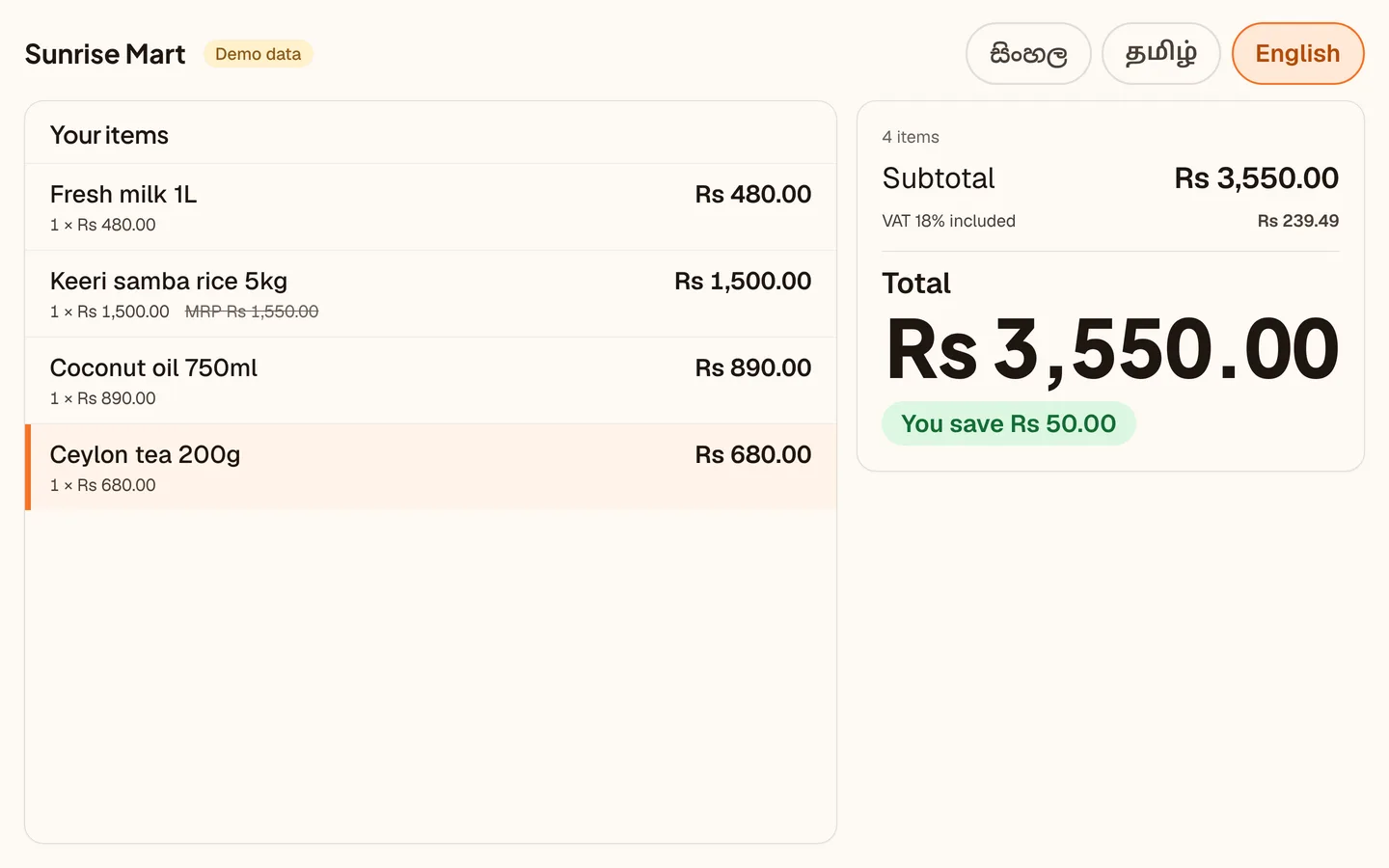
Customer display
A second monitor, an Android tablet paired with a 6-digit code, or a 2-line pole display. Items, savings and the total in the customer's own language.
The whole system
176 things ARC OS does today, sorted into seven parts of the shop's day. Pick a part, then a page.
The counter, at full speed.
Everything that happens between a customer walking up and walking out with a receipt.
Search in 3 languages
Scan, or type part of a name in English, Sinhala or Tamil, even in English letters.
Quantities and weights
3* then scan. Weighed items, and scale labels with the price or weight in the barcode.
Quick buttons
Bags, photocopies and anything without a barcode, one tap away.
Hold and resume
Park a sale, serve the next person, bring it back on any till.
Price check
Scan to see price, MRP and stock without adding anything.
Discounts with limits
Per line or whole sale, % or Rs. Over a person's limit, a manager's PIN.
Price override
Never above MRP, never below the floor. Approved and logged.
Customer by phone
Attach a customer by number, or create one in a second.
F-keys and touch mode
Every action has a key, shown on screen. Big targets for tablets.
Age and Poya rules
An age check once per sale. Poya-closed items refused on the day.
Quick add
Unknown barcode? Prefilled from the shared Sri Lankan catalogue.
Product help
The AI answers a cashier's question about an item from its own data.
Self-checkout kiosk
Customers scan their own basket; the counter takes payment.
Sells offline
Sales saved on the computer with an OFF number, uploaded in order.
Print queue
A receipt that did not print is tried again when the printer is ready.
Your kind of shop
Open one. The same app, with the parts that matter to you up front.
Fast scanning, loose items by weight, a credit book for regulars, and a till that keeps going through the power cut.
Every pack tracked by batch and expiry, controlled prices that cannot be crossed, and labels in the customer's language.
Variants without a mess, a return window that is yours to set, and promotions for the season.
Each handset by serial number, buy now pay later at the till, and reloads on commission.
Open tables, tickets with only what changed, service charge and tips kept apart from profit.
Break a carton into pieces from one stock, quote a job, take a deposit, deliver later.
Getting started
Three days with everything switched on. No payment details asked for.
See the plansChoose a time that suits you. We ring to learn about the shop.
We visit and install ARC OS on the shop computer. Windows 10 or 11, or a Mac.
We set up the 3-day trial with you, with everything switched on.
Scan an item, press Pay. Everything you enter stays when you buy a licence.
Hardware
Windows 10 or 11 (64-bit, 4 GB), Mac, or an Android tablet as a till.
ESC/POS thermal, 58 or 80 mm, USB or network. Kitchen printers. Any A4 printer.
Opened by the receipt printer on cash sales. Every opening logged.
USB keyboard-wedge scanners, 2D for QR, label-printing scales.
A second monitor, an Android tablet, or a 2 × 20 pole display.
Thermal label printers, or 24, 40 and 65-up A4 sticker sheets.
Plans
One owner, one staff account, one till
One owner, three staff accounts, two tills
One owner, ten staff accounts, five tills, three branches
Book a call and we come to the shop to set it up. Three days with everything switched on, no payment details, and everything you enter stays when you buy a licence.